
Weapons and Equipment
Astral Supernova Edge: Power Scaling and Rune Slots
Last updated:
Find where to get Astral Supernova Edge, how its Backpack Power scaling and 838.4M base cap differ, and how to install or replace runes in its two slots.
Check the Astral Genesis display for the 5,999 Robux individual offer or the 8,999 Robux set. Keep stronger weapons in your Backpack, compare the Edge’s current Power rather than its 838.4M base cap, and use Enchantment to install or replace runes one slot at a time.

Astral Supernova Edge is available through an individual offer and the Astral Genesis: The Tri-Wyrm Set. Its current Power depends on weapons kept in your Backpack, and its two rune slots can be configured separately.

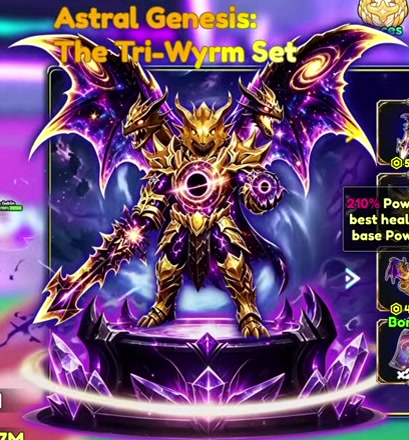
Inspect Astral Supernova Edge, its purchase options, Power scaling, and rune slots.
Astral Supernova Edge
- Individual offer price
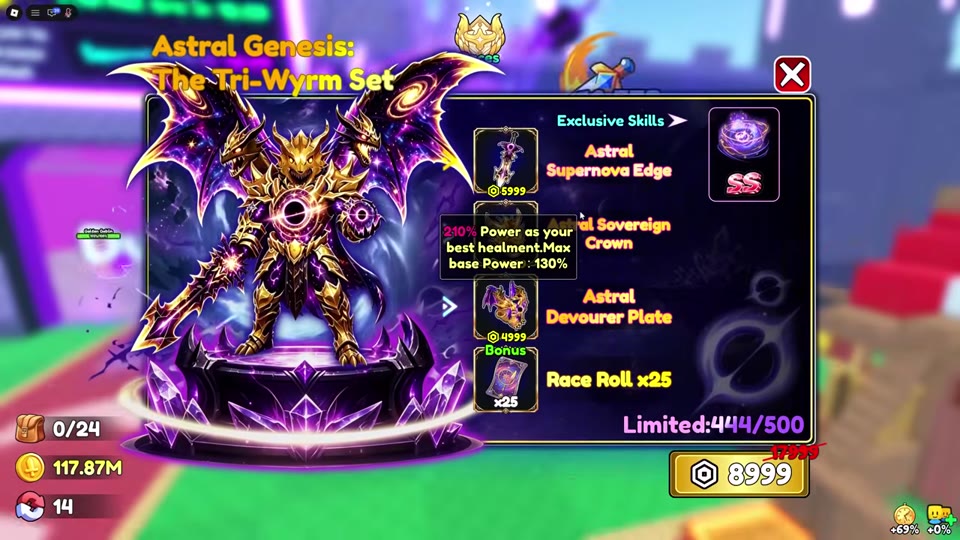
- 5999 Robux (Individual offer shown with Astral Genesis: The Tri-Wyrm Set)
- Skill grade
- SS (Bundle weapon skill icon)
- Appearance
- Purple and gold long-bladed weapon
- Inventory labels
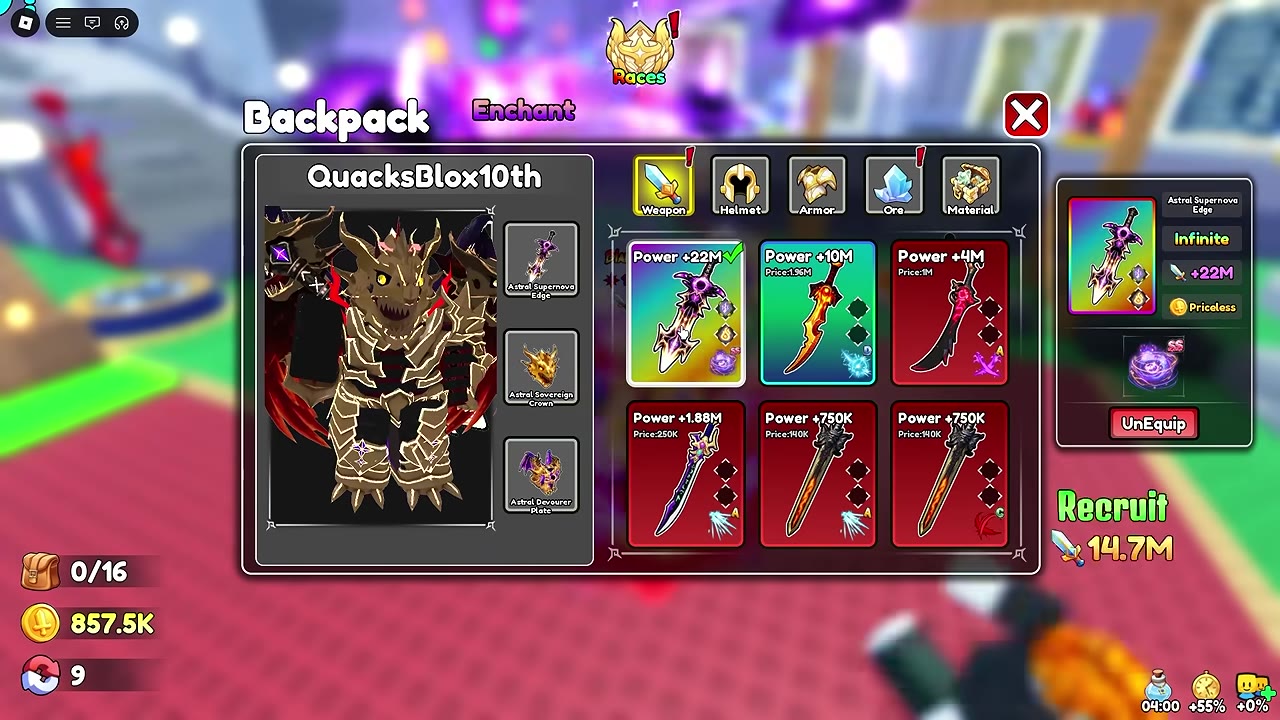
- Infinite; Priceless (Backpack > Weapon details)
- Power comparison
- Compare the Power currently shown in Backpack > Weapon. The displayed Power has dropped while this weapon remained equipped and stayed low after rejoining; do not rely on a previous card value.
- Power scaling tooltip
- 220% of the best weapon's Power. Max base Power: 838.4M; this is a cap, not Power granted immediately on purchase. (Astral Genesis shop tooltip; Enchantment lists Power ×220%.)
- Backpack scaling
- Stronger weapons kept in Backpack can raise this weapon's Power without being equipped. Check the current Backpack Power when comparing gear.
- Rune slots
- 2 slots (Enchantment > Weapon > Astral Supernova Edge)
- Rune configuration
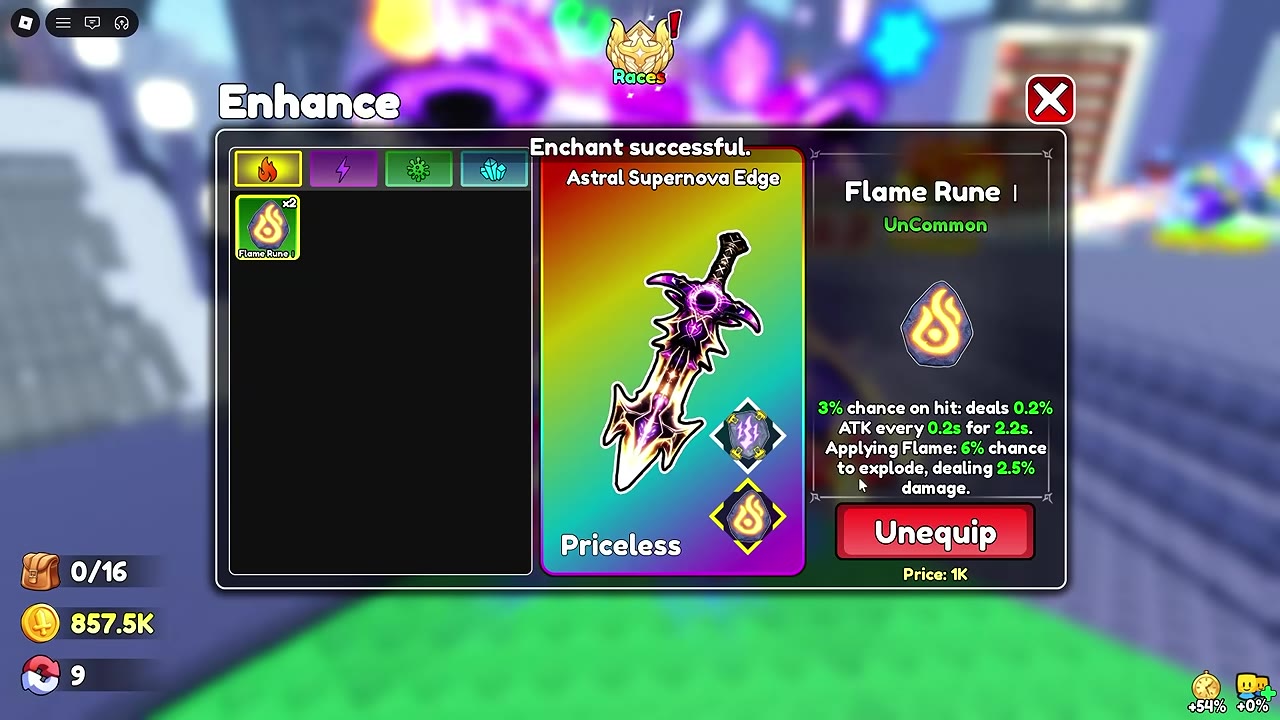
- The two slots support both mixed-element and same-element runes. Select each slot separately; replacing one rune leaves the other slot equipped. (Enchantment > Enhance)
- included weapon
- 1 × Astral Genesis: The Tri-Wyrm Set (Astral Genesis: The Tri-Wyrm Set contents)
Get Astral Supernova Edge
Open the Astral Genesis: The Tri-Wyrm Set display in the hub. The weapon has an individual offer, and it is also included in the full set.
| Offer | Listed price | What it includes |
|---|---|---|
| Astral Supernova Edge individual offer | 5,999 Robux | The weapon listing shown on the Astral Genesis display |
| Astral Genesis: The Tri-Wyrm Set | 8,999 Robux | The weapon alongside matching equipment and bundle extras |
Check the final Roblox purchase prompt before confirming, especially if a Plus price appears. The Priceless label on the weapon’s Backpack card is an inventory label, not its Robux offer price. See Shop Boosts, Potions, and Bundles for the set’s other contents.
Read Its Power and Keep Stronger Weapons
The shop tooltip describes the Edge as having 220% of your best weapon’s Power and lists Max base Power: 838.4M. That maximum is a base cap, not the Power granted when you obtain the weapon. To compare it with another weapon, open Backpack → Weapon and read the Edge’s current Power card.
Stronger weapons can raise the Edge’s Power while they remain in your Backpack; they do not have to be equipped. After getting a stronger weapon, keep it, reopen the Edge’s card, and compare the updated Power and equipped skill with your other choices. The displayed Power can change even while the Edge stays equipped, so use its current card rather than an earlier reading. For broader weapon and skill comparisons, see Weapons, Power, and Skills.
Before using Sell All or selling spare weapons individually, identify any strong weapons you want to retain as scaling references. See Selling Items and Buying Coin Upgrades for the Sell stall steps.
Install and Replace Runes
Astral Supernova Edge has two diamond-shaped rune slots. They can hold different elements, such as Thunder and Flame, or two runes of the same element.
- Go to the Enchant stall. In Enchantment, choose Weapon, select Astral Supernova Edge, and press Select to open Enhance.
- Choose an element category and rune, then select an empty diamond slot. Check the displayed Coin price and press Enchant. A success message and a rune icon in that slot confirm the installation.
- Select the second empty slot and repeat if you want two runes.
- To replace a rune, select its occupied slot, check the Unequip price, and press Unequip. Once the slot is empty, choose the replacement rune and enchant that slot. The rune in the other slot stays installed.
These prices apply to the listed operations on Astral Supernova Edge; each installation also consumes one rune of the selected tier.
| Operation | Coin cost |
|---|---|
| Install Flame Rune I | 200 |
| Install Thunder Rune II or Flame Rune II | 1,500 per slot |
| Install Thunder Rune III | 5,000 |
| Remove Thunder Rune II or III, or Flame Rune I or II | 1,000 per rune |
A removed Thunder Rune II returns to inventory. Check the current price before each action. For rune effects and other equipment, see Enchanting Equipment and Choosing Runes.
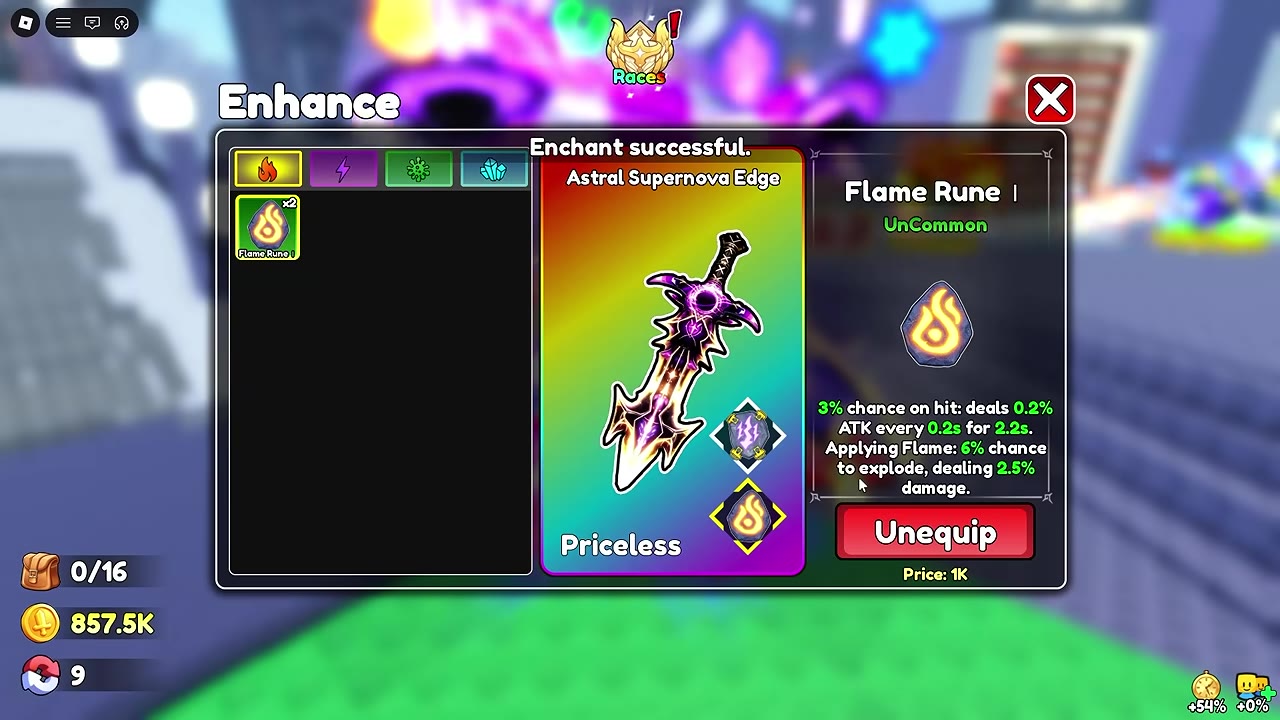 Install Thunder and Flame runes
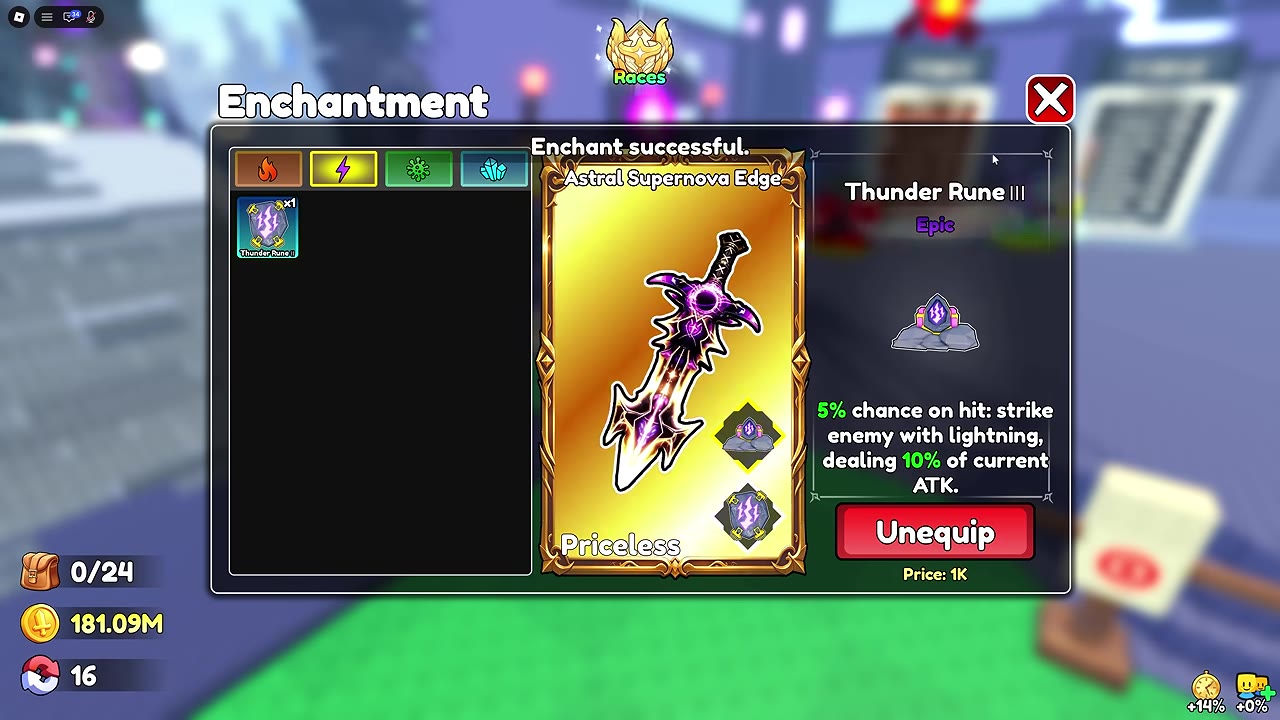 Replace Thunder Rune II with Thunder Rune III