Weapons and Equipment
Helmets, Armor, and Equipment Sets
Last updated:
Compare helmet Power and chest armor Defence bonuses, equip each slot, and understand what the Void-Dominator and Astral Genesis sets include.
Compare owned helmets by their Power percentage and chest armor by their Defence percentage. Equip each choice in Backpack, then check for its name in the equipment slot, a green check on its card, and an UnEquip button. Treat bundle extras separately from gear attributes.
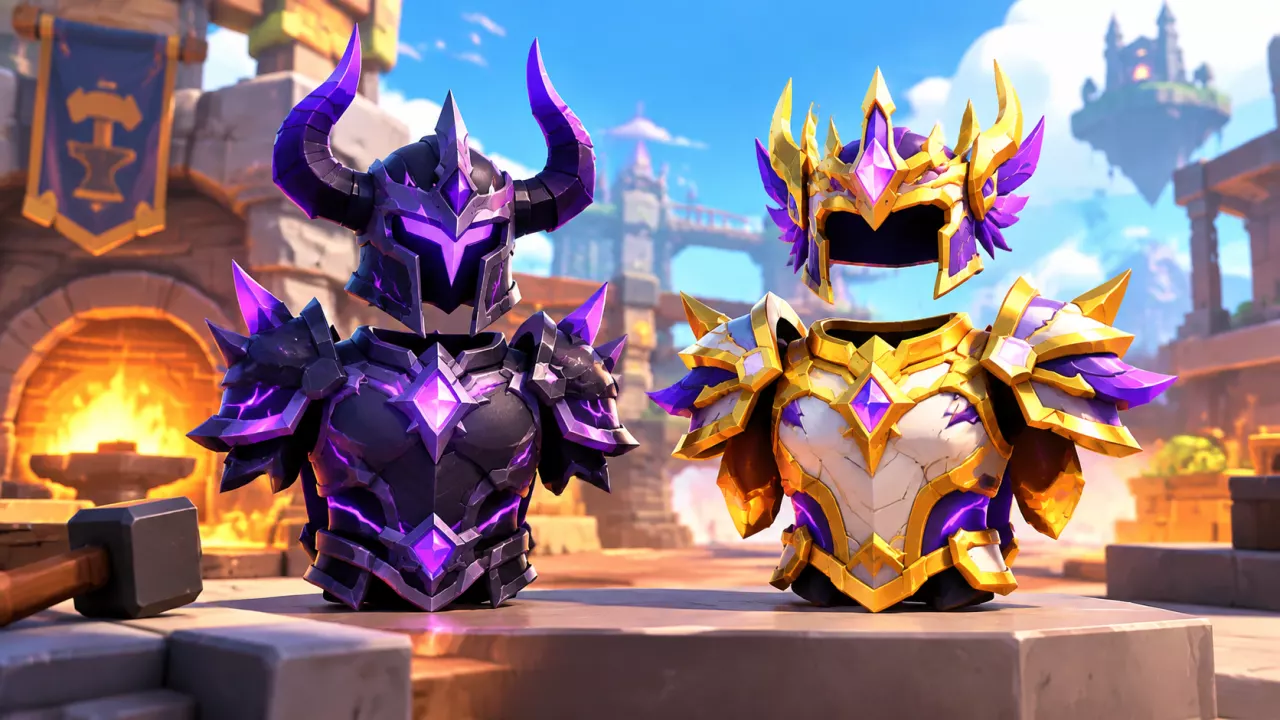
Helmets and chest armor occupy separate equipment slots in +1 Loot To Forge. Their item cards show different bonuses, while the Void-Dominator and Astral Genesis bundles add weapons and bonus items.
Choose a Helmet by Power Bonus
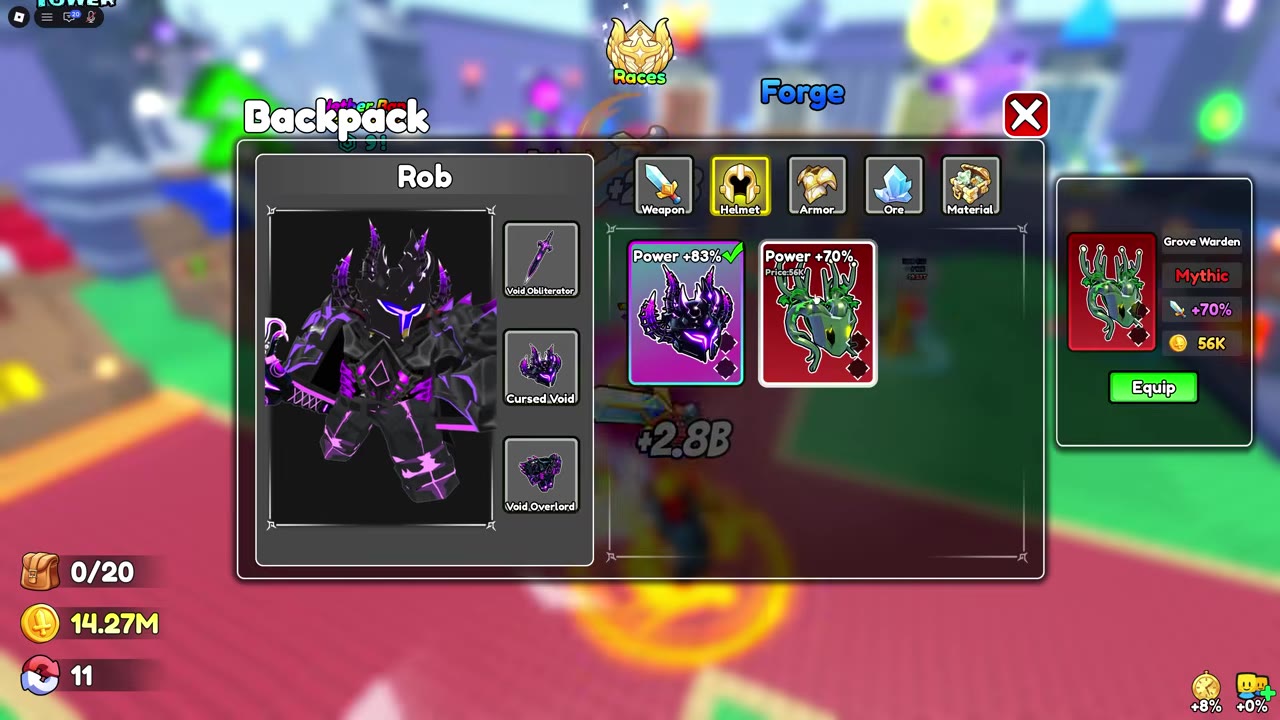
Use the Power percentage on a helmet’s item card to compare helmets you own. For example, Cursed Void shows Power +83% and Grove Warden shows Power +70%, a difference of 13 percentage points. If increasing the displayed helmet Power bonus is the goal and both are available, Cursed Void is the stronger choice on that measure.
The comparison includes helmets identified in the Index even when a Power percentage is not listed. Check those items in Backpack before choosing; appearance, rarity, and Index position do not establish their bonus. A Forge preview gives the chance of an equipment category, not a guaranteed named helmet. For the crafting steps, see How to Forge Weapons and Armor.
Choose Chest Armor by Defence Bonus
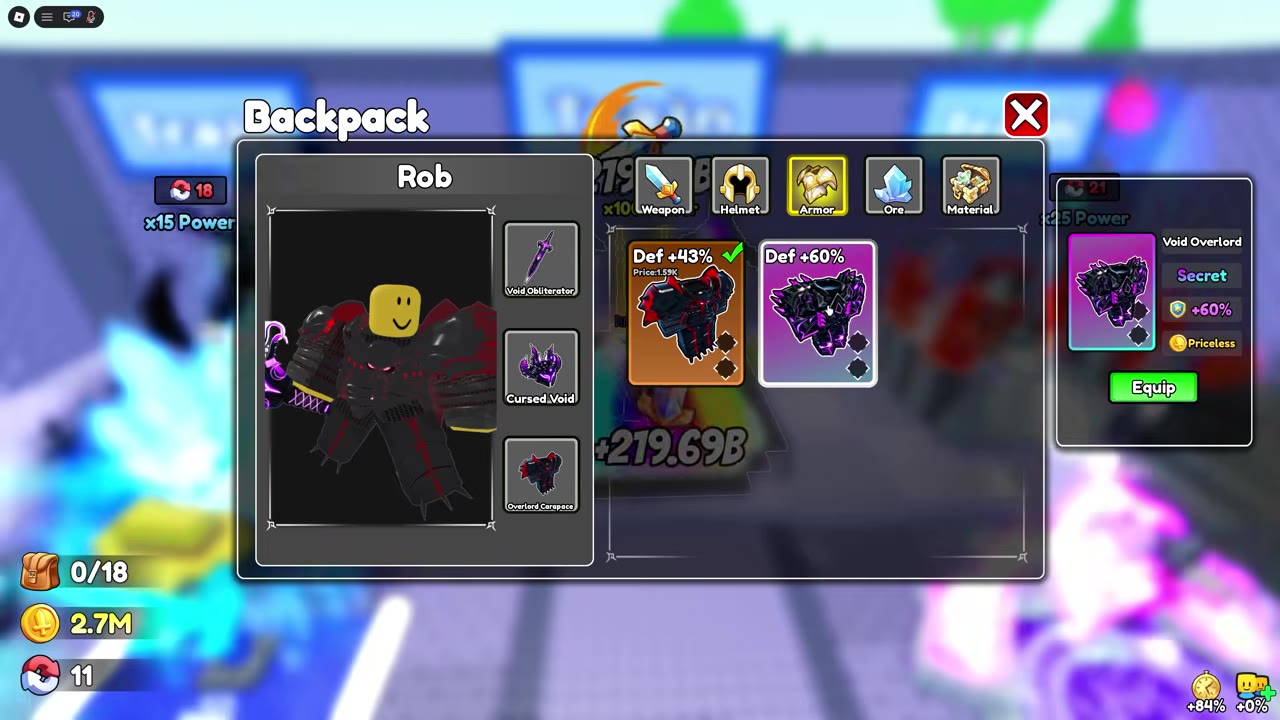
Compare chest armor using its displayed Defence percentage. Void Overlord shows Defence +60%, while Overlord Carapace shows Defence +43%; the difference is 17 percentage points. Choose the higher displayed bonus when Defence is the deciding factor and you own both pieces.
An armor entry identified only by its Index appearance needs its Backpack card checked for a Defence value. The Price on a result card or Backpack card is the item’s listed value, not the material cost of forging it.
Equip and Verify Both Slots
- Open Backpack and select Helmet. Select the helmet you want, read its Power bonus, and press Equip.
- Confirm that the helmet’s name appears in the character’s helmet slot. Its card should show a green check and UnEquip.
- Select Armor, inspect the chest armor’s Defence bonus, and press Equip on your choice.
- Check the separate armor slot and the selected card for the same equipped indicators. If you are using a bundle weapon, select and equip it under Weapon as a third piece.
Selecting an item to inspect it does not equip it. The slot name, green check, and UnEquip button show which piece is currently worn.
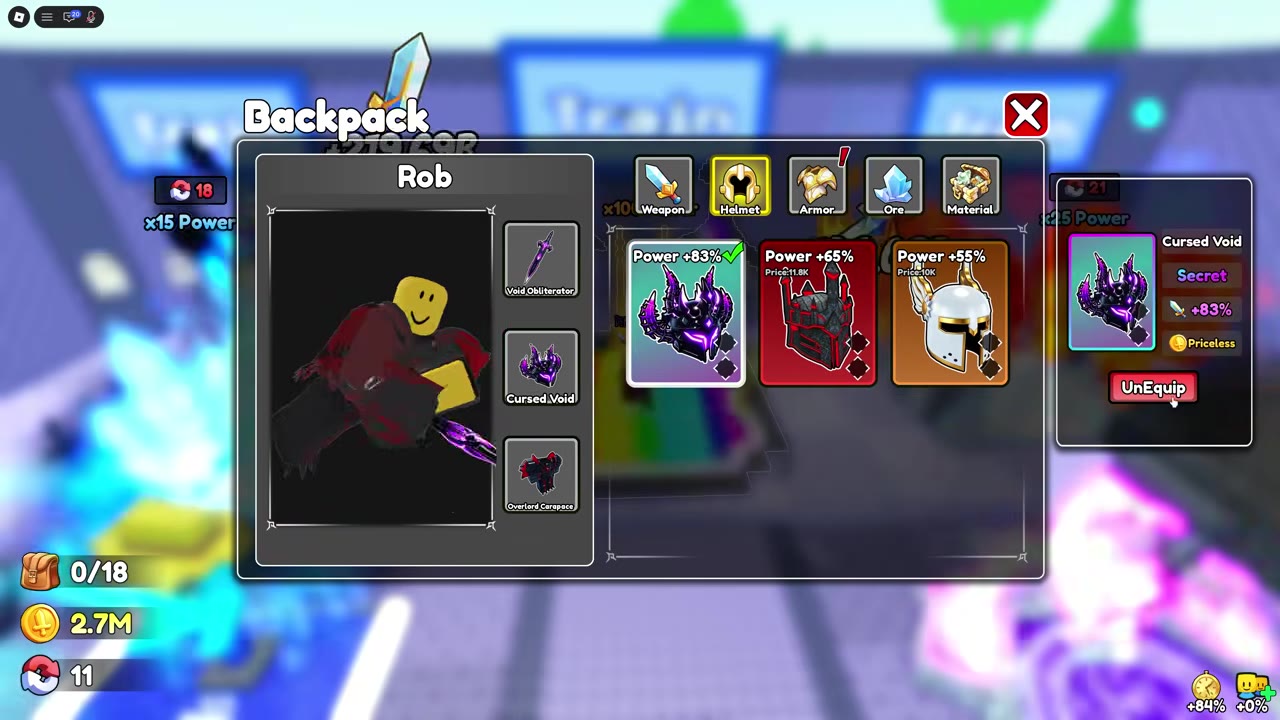
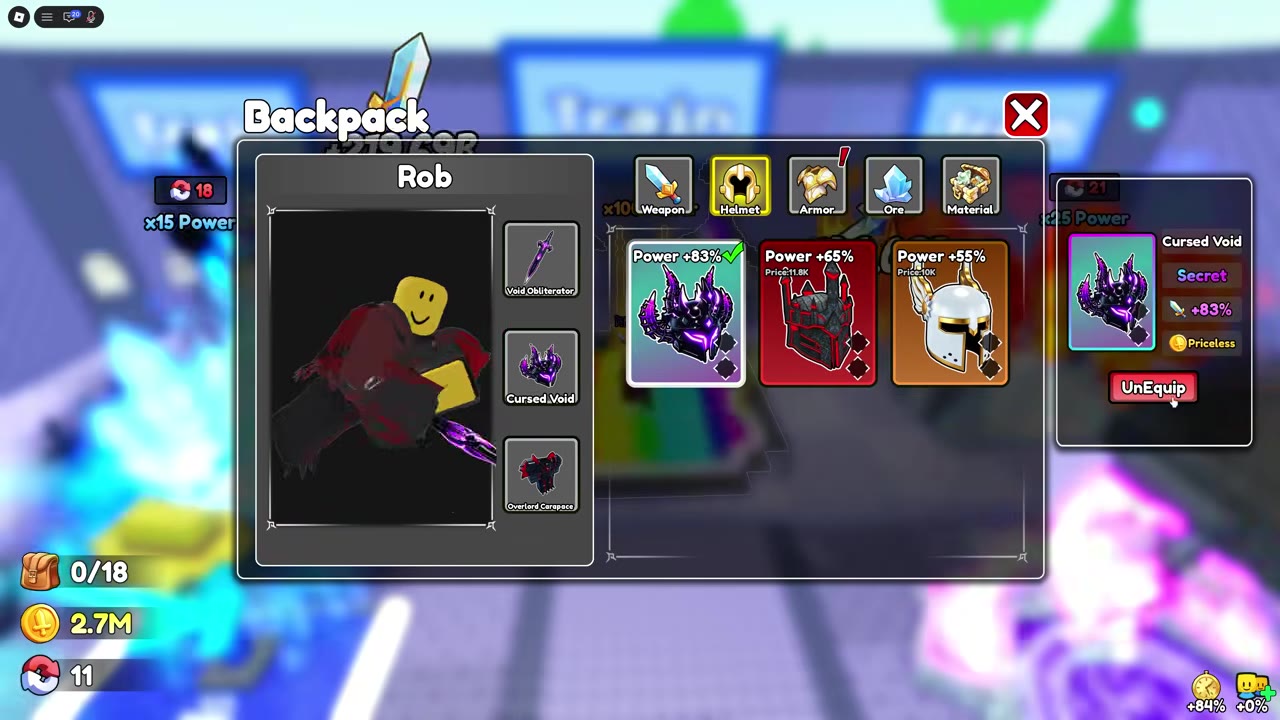 Equip a weapon, helmet, and chest armor in Backpack▶ Watch demonstration
What the Two Equipment Sets Include
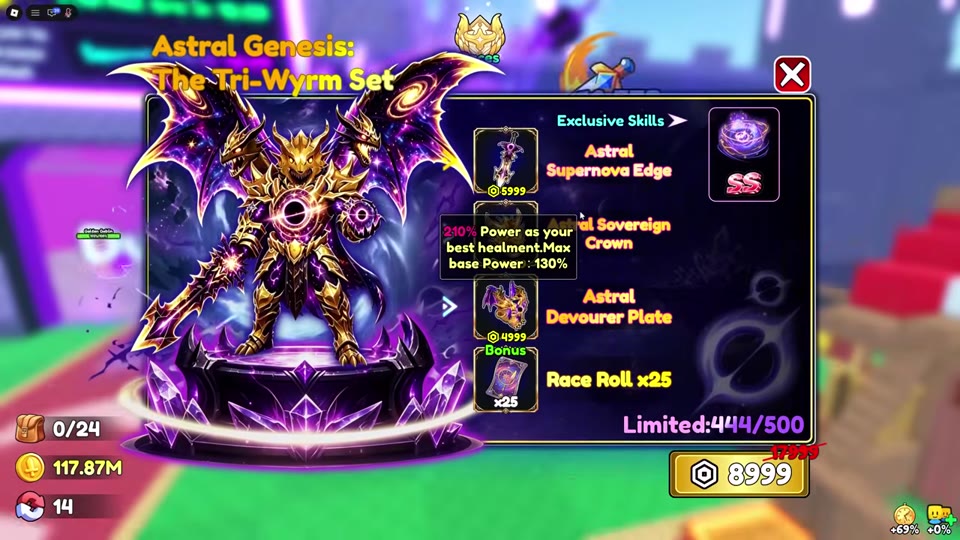
Void-Dominator and Astral Genesis: The Tri-Wyrm Set each include a weapon, helmet, and chest armor. Void-Dominator also includes Tower Tickets; Astral Genesis includes Race Rolls. Each bundle displays an SS-marked skill. The set details below identify the individual pieces, extras, and listed Robux prices. A Plus discount can make the Roblox checkout amount differ from the shop listing.
Compare the three gear pieces in their own slots. Cursed Void’s Power bonus and Void Overlord’s Defence bonus are individual attributes, while Tower Tickets are a bundle extra. Astral Sovereign Crown has a tooltip describing Power relative to the best helmet, with “210% Power” and “Max base Power: 130%” wording; that is not presented as the same flat Power bonus shown on standard helmet cards. Do not add an assumed three-piece bonus to either set’s item stats. For the weapons’ attributes and skills, see Weapons, Power, and Skills.
| Name | Bundle listed price | Bonus Tower Tickets | Bonus Race Rolls |
|---|---|---|---|
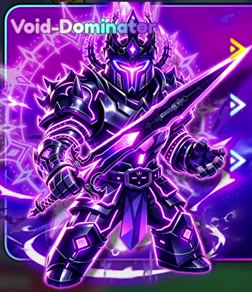 Void-Dominator Void-Dominator |
1299 Robux
|
50 tickets
| — |
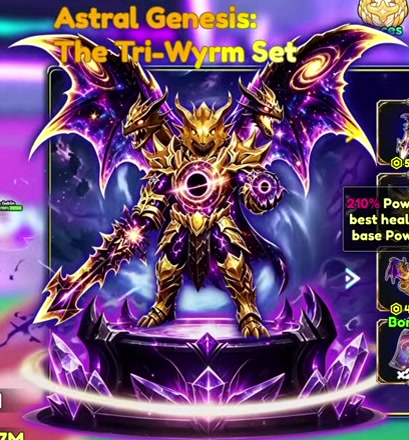 Astral Genesis: The Tri-Wyrm Set Astral Genesis: The Tri-Wyrm Set |
8999 Robux
| — |
25 rolls
|