
How to Sell Items and Buy Coin Upgrades
Last updated:
Sell spare ores and gear for Coins, compare Max Ore Count, Train Boost, and Luck Boost costs, and learn how Index rewards expand your ore bag.

Quick answer
Keep ores needed for forging, then sell unwanted listed items with their Coin buttons or Sell All. Buy Max Ore Count if your bag fills, Train Boost if training is your priority, or Luck Boost if you want more luck; Index Ore Bag rewards add capacity separately.
The town hub’s Sell stall turns listed spare items into Coins. The adjacent Upgrade stall spends those Coins on ore capacity, training, or luck.
On this page
Sell Spare Items for Coins
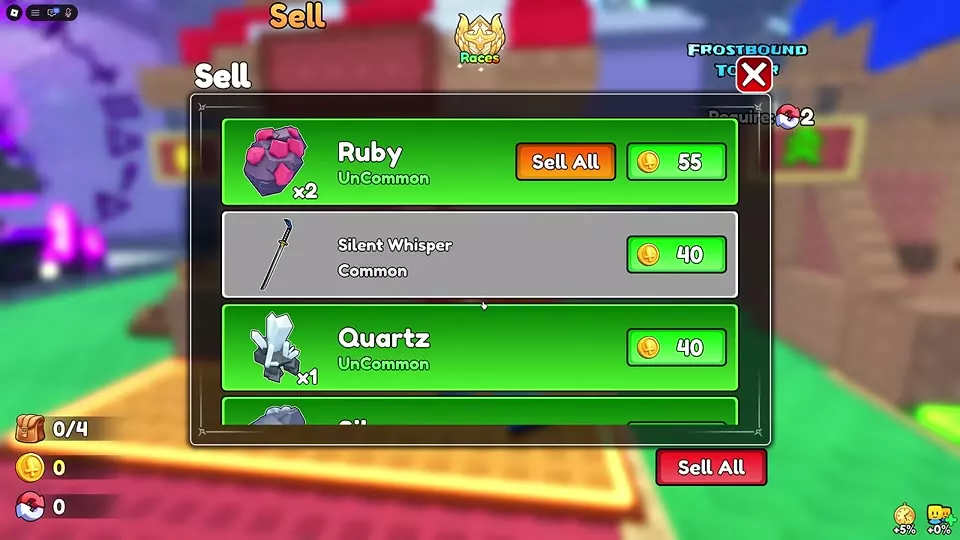
- If the gear you want to sell is equipped, open Backpack, select it, and use UnEquip first. Then open the Sell stall in the town hub, beside Upgrade. Review the listed ores, equipment, and runes and the Coin button beside each item.
- Keep any ore needed for a planned forge attempt and any equipment you want to retain. Select an individual Coin button to sell that item.
- If a stack has its own Sell All button, use it for that stack. Use the Sell All button at the bottom of the menu only after checking the eligible items still listed. Sold items leave the available inventory, and the Coin balance increases.
Use the amount shown in Sell when deciding what to sell. A Coin number beside an ore on the ground or a Price on an equipment card is not the Sell menu’s quote. If gear is absent from the Sell list, unequip it in Backpack and check again. Only items offered by the current Sell menu can be sold there.
If you use Astral Supernova Edge, Astral Sovereign Crown, or Astral Devourer Plate, keep the weapon, helmet, or chest armor providing its scaling reference in Backpack, even when that reference gear is unequipped. Check the Astral item's current Power or Defence before selling older gear. See Astral Supernova Edge's scaling and rune slots for the weapon's details, or Helmets, Armor, and Equipment Sets for helmet and chest armor scaling.
Choose the Upgrade You Need
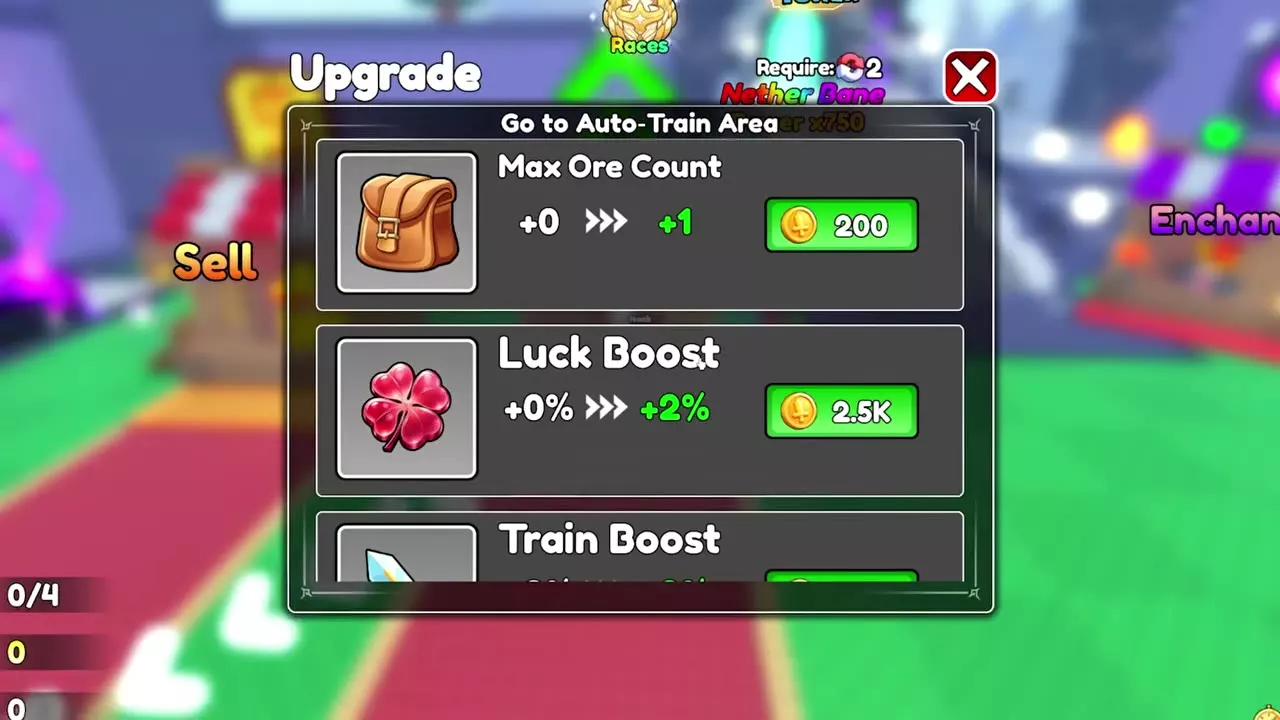
Open Upgrade beside Sell and scroll through the three Coin upgrades. Each entry shows its current bonus, next bonus, and price.
| If your priority is… | Choose | What changes |
|---|---|---|
| Collecting more ore before the bag fills | Max Ore Count | Each purchased tier adds one carrying slot. |
| Getting more from training | Train Boost | The displayed training bonus rises. |
| Increasing luck | Luck Boost | The displayed luck bonus rises. |
Select the Coin button for the tier you can afford, then check that Upgrade successful appears and the current bonus changes. You need more coin means that attempted tier was not purchased. For training area requirements and other ways to build Power, see Power Training, Auto Click, and Rebirth.
Coin Upgrade Tiers and Costs
Match your current bonus to the current → next condition in the upgrade details below. Each Coin price applies to that transition only. If your current transition is absent, check its price in the Upgrade menu before saving for it.
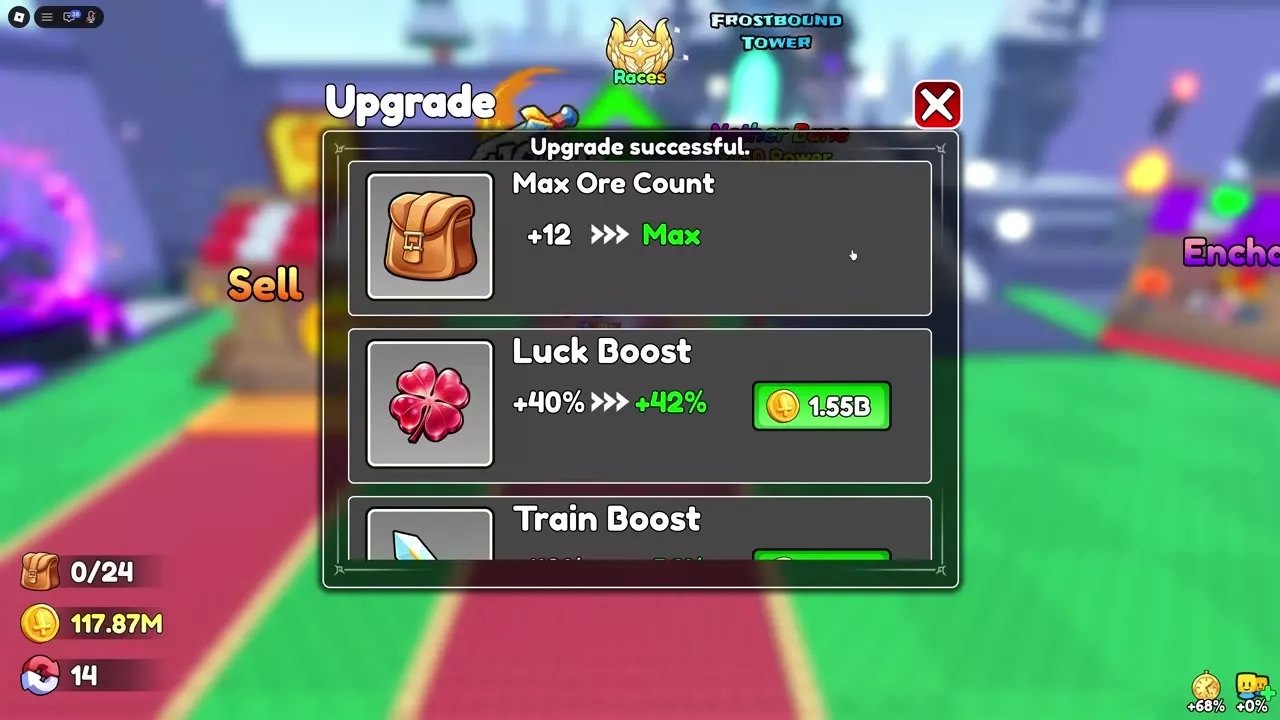
Max Ore Count displays Max after its +11 → +12 purchase, so that stall offers no further Coin tier for it. The +12 figure is the purchased upgrade bonus, not the bag’s total capacity.
Get More Ore Bag Slots from the Index
The bag counter shows carried ores against total capacity. At the starting four-slot capacity, a full 4/4 bag prevents another pickup and displays Pack is full. Returning to the hub resets the carried counter while the collected ores become available in inventory. Defeat while carrying ores can instead bring up Your Lost Ores and reset that counter.
Max Ore Count adds one slot per purchased tier. Index rewards are a separate source of slots:
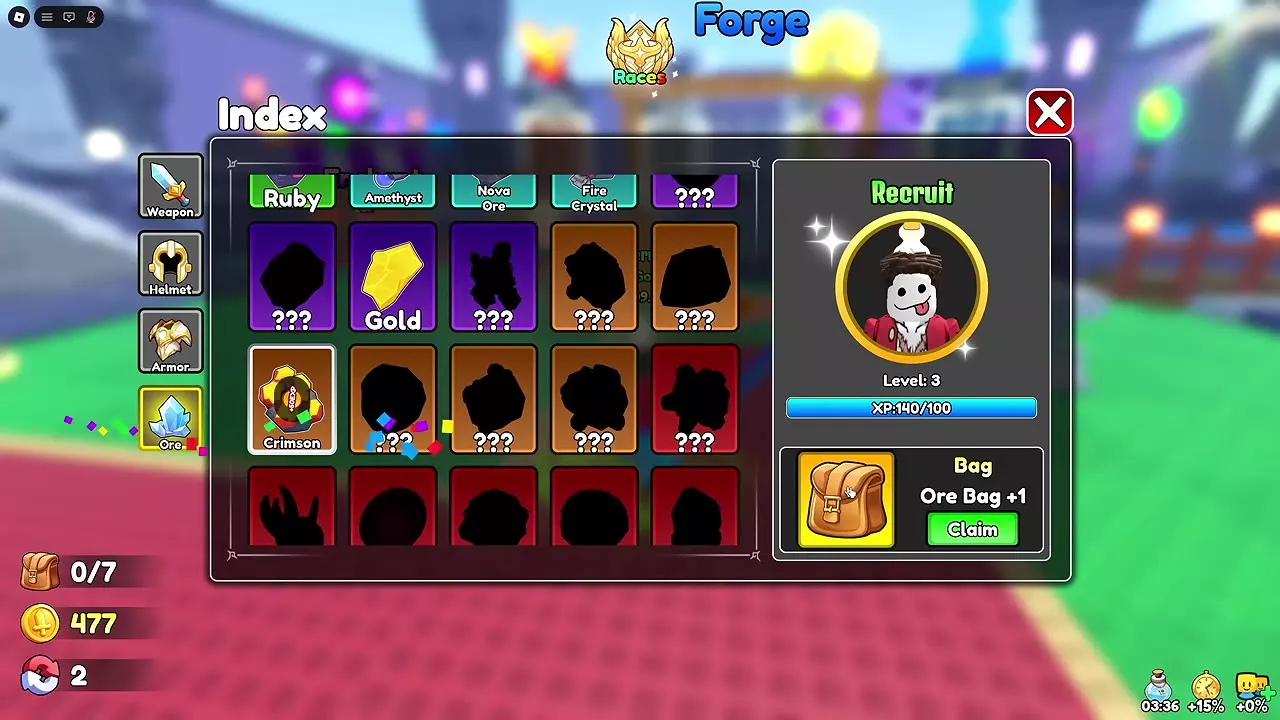
- Open Index and claim EXP on discovered entries, including entries in the Ore category.
- When the displayed level’s XP requirement is met, select Claim on its unlocked Ore Bag reward.
- Check the bag’s total capacity after claiming. See Index Collection and Rewards for the broader reward sequence.
| Index level | XP required at that level | Claimable bag reward |
|---|---|---|
| 1 | 50 Index EXP | Ore Bag +1 slot |
| 3 | 100 Index EXP | Ore Bag +1 slot |
| 6 | 175 Index EXP | Ore Bag +1 slot |
| 9 | 250 Index EXP | Ore Bag +1 slot |
| 16 | 450 Index EXP | Ore Bag +2 slots |
The bag’s total can exceed its Max Ore Count bonus. For example, a bag with earned Index rewards can show 24 total slots while Max Ore Count reads +12 and Max.
📰 Recent Wiki Articles
Latest weapon breakdowns, dungeon strategies & skill guidesFrequently Asked Questions
Should I use Sell All on ores?
Use it when you intend to sell the eligible ores it covers. Check the Sell list first and keep any ore needed for your next forge attempt.
Why is my bag capacity higher than my Max Ore Count bonus?
Max Ore Count shows the bonus bought with Coins. Claimed Index Ore Bag rewards increase the bag’s total capacity separately.