
Rewards
How to Claim Online Rewards
Last updated:
Find the Online gift panel in +1 Loot To Forge, claim unlocked rewards, and learn when to use Tower Tickets, Race Rolls, and five-minute boosts.
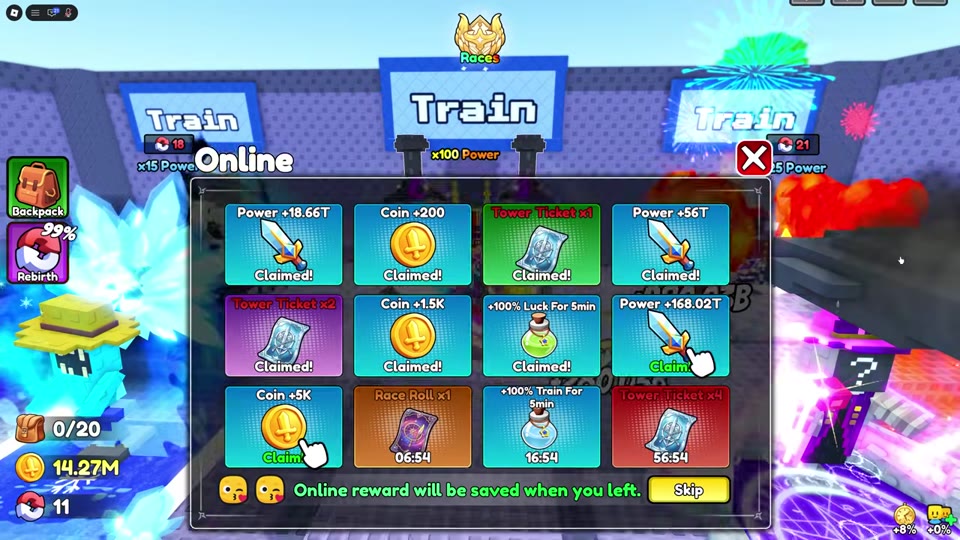
Select the gift icon on the right side of the screen, then select any reward marked Claim. A countdown means it is still locked; Claimed means it has already been collected.

The Online gift panel holds timed rewards, including Power, Coins, Tower Tickets, a Race Roll, and short boosts. Each reward card shows whether it is ready to claim.
Claim a reward from Online
- Select the Online gift icon on the right side of the screen.
- Find a reward card marked Claim and select it. Cards with a countdown are still locked; Claimed cards have already been collected.
- Check that the selected card changes to Claimed. Claim any other unlocked cards separately.
The panel says Online reward progress is saved when you leave the game.
Use the reward you claimed
Power and Coin cards grant the resource shown on each card. The other rewards have specific uses:
- A Tower Ticket pays the one-ticket entry cost for a Frostbound Tower run once the tower unlocks after the second Rebirth. See the Frostbound Tower guide for entry steps.
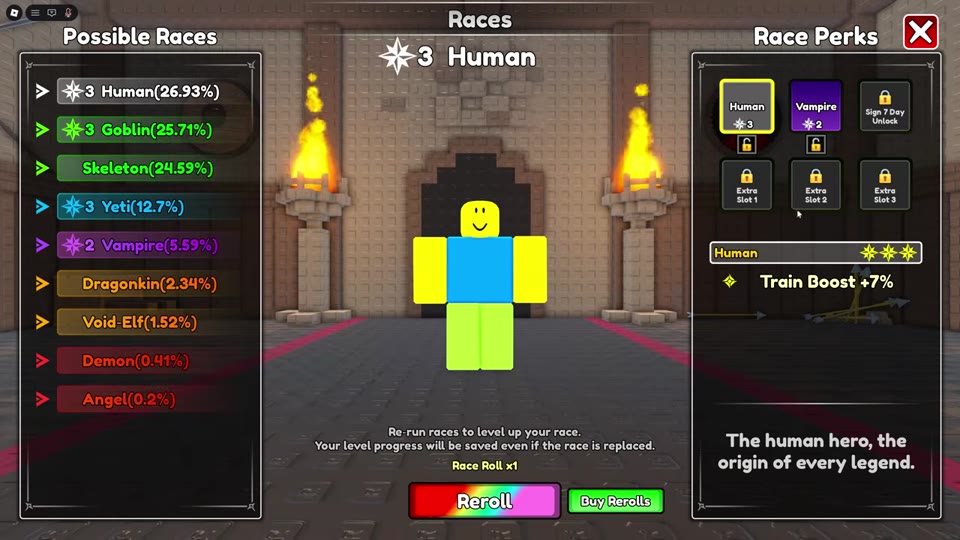
- A Race Roll pays for one Reroll in the Races menu. See Races, Rerolls, and Star Perks before changing a race.
- +100% Luck For 5min and +100% Train For 5min each activate a five-minute bonus when claimed. Claim the Train reward when ready for a focused Power-training session; the Power training guide explains the training options.
 Claim a Race Roll and use it in Races